


説明
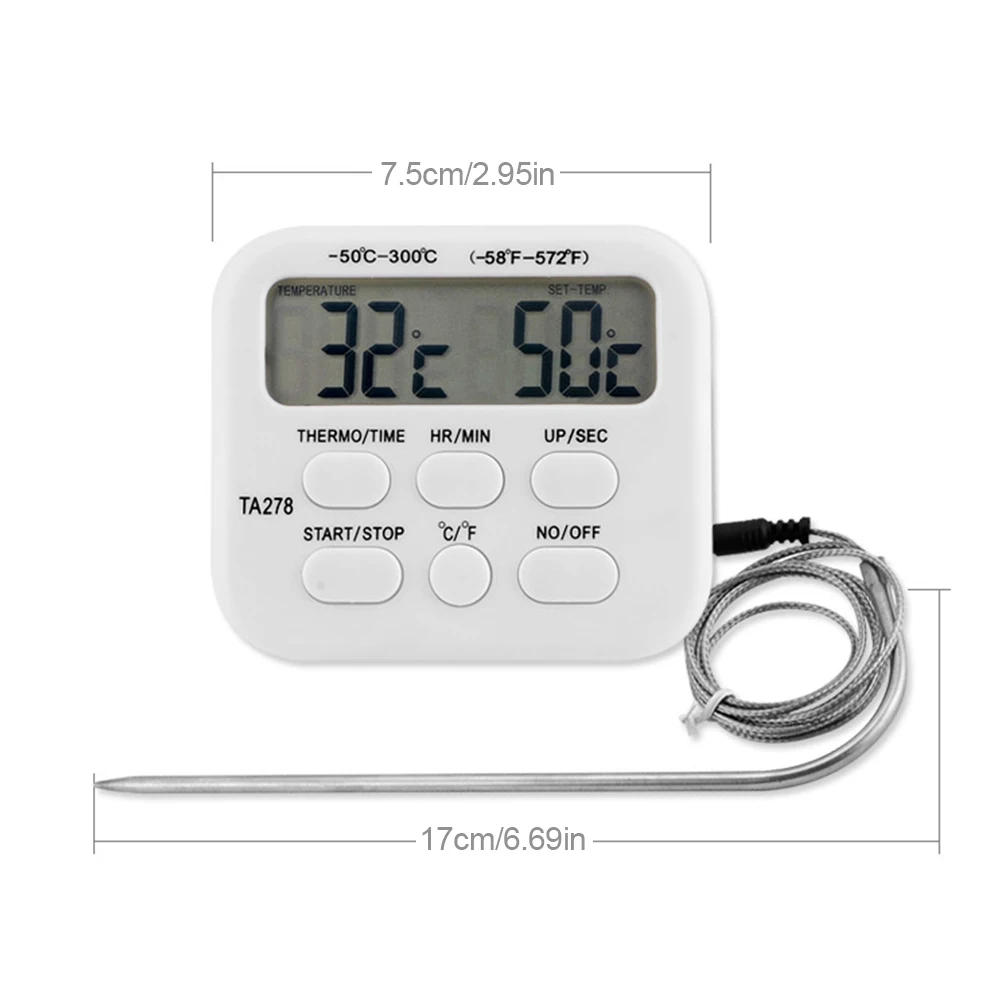
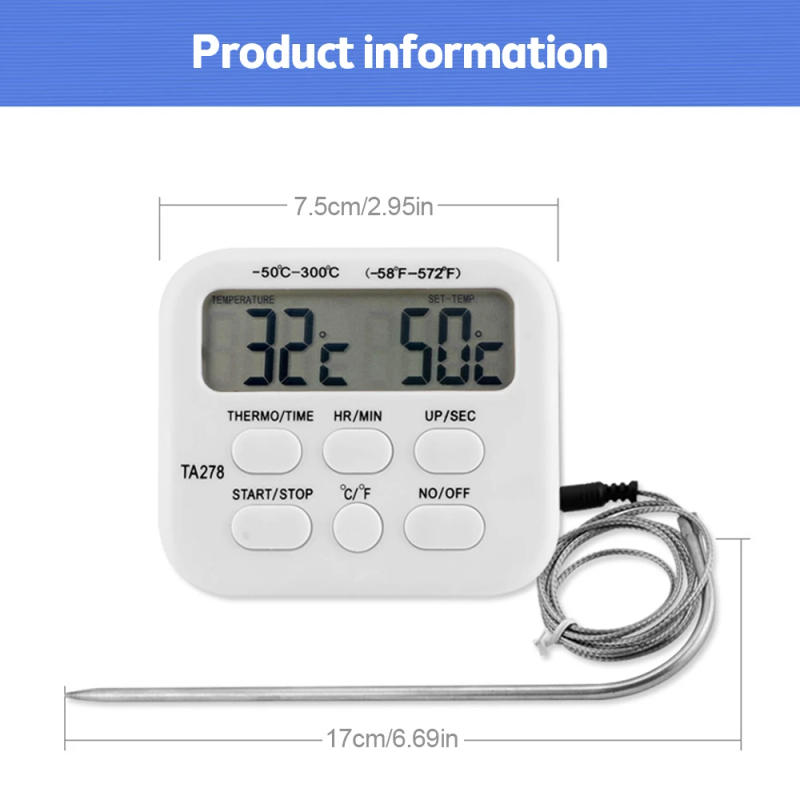
Description: 1 Use high quality materials, sturdy 2 Stylish bracket design, smooth to open and close, would be placed on the desktop, sensible and easy to operate 3 Large screen digital show of temperature and humidity makes studying easier four The battery compartment hide at the back would be opened easily, and a No 7 battery could be positioned to begin up and use usually five Wide software range Parameters: Temperature range: - 50 ℃~300 ℃ (- fifty eight ℉~572 ℉) Timing range: 99 hours, fifty nine minutes, fifty nine seconds Key description: [ON/OFF] key: on/off [° C/° F] key: convert ° C and ° F temperature units [MODE] key: switch between temperature mode and timing mode [HR/MIN/-] key: set the temperature in the temperature mode by means of 1 degree; Set mins and hours in timing mode [SEC/+] key: set the temperature in the temperature mode plus 1 degree; Set seconds in timing mode [START/STOP] key: open or close temperature alarm in temperature mode; Start, stop, proceed or pause timing in timing mode Thermometer operation: 1 Press the [ON/OFF] key to begin the mechanical device 2 Press the [MODE] key to demonstrate the temperature mode 3 Press the [HR/MIN/-] key to set the temperature to decrease by 1 degree, and press and keep the most important for decades to diminish soon four Press the [SEC/+] key to set the temperature to increase by 1 degree, and press and hold the most important for many years to soon increase five Press the [START/STOP] key to start the temperature alarm 6 Press the [START/STOP] key to turn off the temperature alarm Press the [START/STOP] key back to start the temperature alarm 7 Press the [HR/MIN/-] key and the [SEC/+] key simultaneously to revive the default set temperature of fifty ° C (122 ° F) 8 When the temperature is equal to the set temperature, the alarm sounds consistently nine Press the [START/STOP] key to stop the alarm sound 10 The alarm will sound till the [START/STOP] or [ON/OFF] key's pressed eleven Press the [MODE] key to display the timing mode, after which press the [MODE] key to come back to the reveal temperature mode 12 Press the [ON/OFF] key to shut down after use Timer action: 1 Press the [ON/OFF] key to begin the machine 2 Press the [MODE] key to display the timing mode, and the "TIMER" icon may be displayed at the LCD three Press the [HR/MIN/-] key to set the mins and hours, and press and maintain the most important for many years to soon expand 4 Press the [SEC/+] key to set the second, and press and preserve the key for many years to soon increase five Press the [START/STOP] key to begin 6 Press the [START/STOP] key to pause Press the [START/STOP] key back to continue 7 Press the [HR/MIN/-] key and the [SEC/+] key to reset on the similar time 8 When attaining "00:00", the alarm will proceed to sound The timer will flip to nice and the "TIME&;S UP" icon at the LCD will flash nine Press the [START/STOP] key to stop the alarm sound and timing, and automatically display the final set timing time 10 The timer counts 99 hours, 59 minutes and 59 seconds The alarm will sound till the [START/STOP] or [ON/OFF] secret's pressed 11 Press the [MODE] key to display the temperature mode, and then press the [MODE] key to return to the demonstrate timing mode 12 Press the [ON/OFF] key to shut down after use Package included: 1 x TA278 Digital Kitchen Thermometer Timer Stainless Steel Probe Meat BBQ Food Temperature Barbecue Cooking Tools with Alarm Function




レビュー
0 people rated this product

TA278 Digital Kitchen Thermometer Timer Stainless Steel Probe Meat BBQ Food Temperature Barbecue Cooking Tools with Alarm
送料・返品無料
 QWQER Express,
 USPS,
USPS, DHL
DHL
Shopping security
- Safe payment options
- Secure privacy
- Secure logistics
- Purchase protection