


Beschreibung
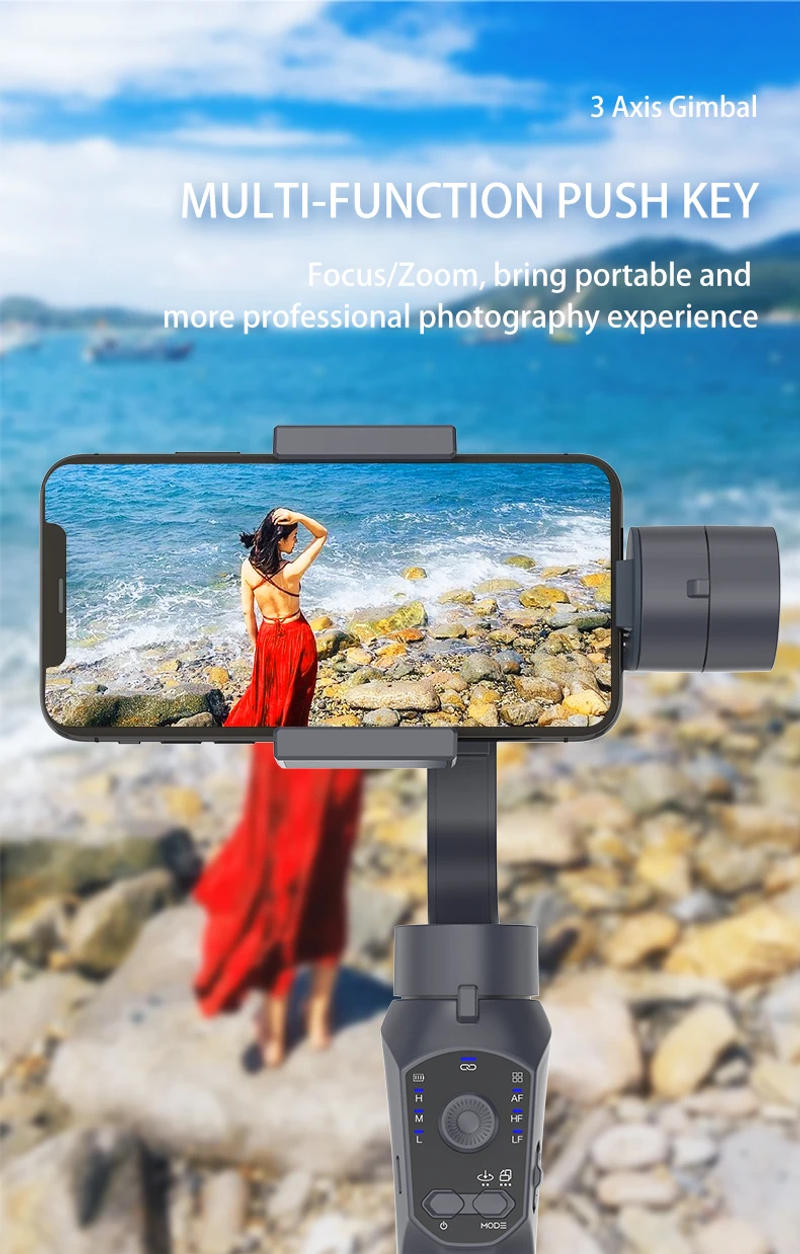
I Application APP (iOS/ANDROID) 1、Active tracking, including face monitoring and object monitoring 2、Display stick to function: operation mode 3、Support white balance, time-lapse, slow-mo, camera grid 4、One Click Sharing: Instantly proportion your videos/photos on social media, similar to Facebook, YouTube II (Functions): 1, the stabiliser has three assorted modes: full stick to mode, half keep on with mode, complete lock mode 2、Handle handbook zoom management 3、Using 3600mAH power supply, it should run for up to 10 hours; Built-in USB port, you could possibly straight payment your cellular telephone or sports activities digicam 4, When the flexibility delivery power is low, you can also price the stabiliser 5, 70 ° cellular clamp is convenient to switch the vertical shooting mode 6, One-step balancing: uniquely designed adjusting arm, no more counterweight required 7, direct go back to the rear digicam (Selfe Posits) function: double-click the mode button to bring the lens to the unique role 8、Quick manual shift: flow through hand from the preliminary role to the next role 9, customisable joystick: you can also make the joystick work how you choose in any operating mode 10, 1/4 threaded screws could be fixed practically anyplace Which smartphone can be used with this gimbal? F10 gimbal can be utilized with many units of cellular phones, reminiscent of iphone, Samsung, Xiaomi, Huawei, Vivo, Oppo and many other brands of smartphones However, the size requirements should be met: --the width of the cellphone ought to be between 60-85mm --the size of the mobile phone ought to be lower than 165mm --the thickness of the cellular phone must be less than 8 --and the load of the cellular telephone must be less than 250g (Please check the scale and weight of your cellular phone earlier than purchasing, thank you!) Answers to questions about the use of F10: 1 can&;t my gimbal assist my phone? (Sometimes after a few minutes of use it goes directly down vertically?) -- First of all, please make certain your head has sufficient power Then whether useing in vertical or horizontal, be sure you steadiness the phone before you turn gimbal on If you aren't yes concerning the balancing process, please test the guide or touch customer support directly for additional information If the gimbal is grew to become on straight with out cellphone balancing, will probably be unbalanced and disconnected inside mins of being grew to become on 2 Why doesn&;t my zoom slider work? --The zoom slider calls for the use of the APP (Gimbal Pro) in an effort to paintings How to use four capturing modes? F10 has 4 capturing modes, please keep on with the ideas beneath to differentiate the various modes and use them correctly --All Follow Mode (AF) ※ Default mode upon powering on The Roll axis is locked, the Pan axis(left/right) and Tilt axis(up/down) will follow the movement of handle --Half Follow Mode(HF) Tilt & Roll axis are locked Pan axis(left/right) rotates smoothly with the handle --Lock Full Mode (LF) Pan, Tilt, Roll axis are all locked The camera can&;t stick to the movement of the handle --First Person View (FPV) Pan, Tilt, Roll axis stick with the motion of the manage Stable horizontal and vertical shooting, Multiple placement angles Tip 1: Whether vertical or horizontal, make sure to balance the telephone before you switch gimbal on If you aren't yes in regards to the balancing process, please examine the manual or contact customer support directly for additional information Tip 2: There are 3 switching methods, please talk to the handbook for detailed operation




Rückmeldung
0 people rated this product

3 Axis Gimbal Stabilizer for Smart Phones, APP supported Face tracking, Wheel Zooming, Auto Shot Panoramic Photos
Kostenloser Versand & Rückversand
 QWQER Express,
 USPS,
USPS, DHL
DHL
Shopping security
- Safe payment options
- Secure privacy
- Secure logistics
- Purchase protection