


Description
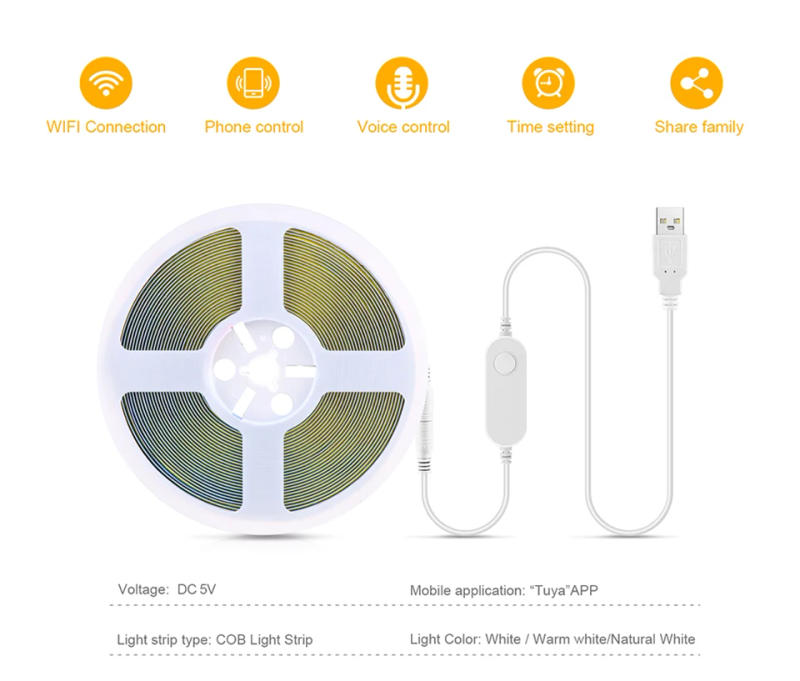
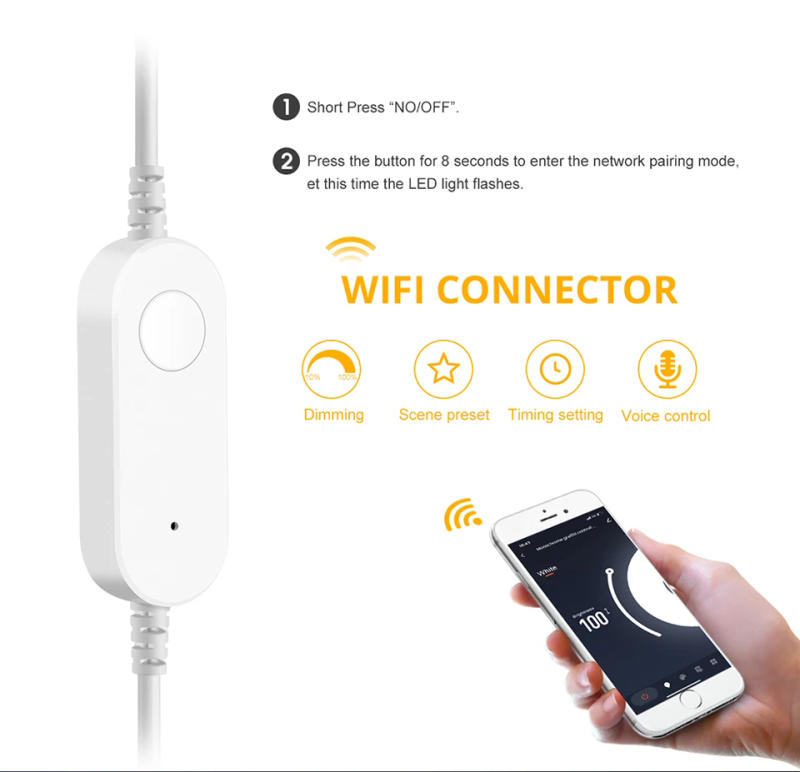
Specification: Type: WiFi LED Strip Light Color: White/Warm White Color temperature: Warm White(3000K),Cool White(6000K). Color Rendering Index: Ra>90 Voltage: 5V USB Length: 1M/2M/3M/5M Network: 2 Wi-Fi App Download: Tuya or Smart Life Support Mobile: Android/IOS Function: Voice Control, APP Remote Control, Dimmable, Compatible with Alexa Echo Google Home Assistant, Features: 【Remote Control】 Even you are not at home, you can control your smart led strip on/off together with your cellphone by way of Tuya or Smart Life App. Easily set time table in your sensible led strip. Customize your place smooth system, like surroundings lighting fixtures to return on at nightfall or turn off at sunrise. You can create a group for all of your sensible led strip and management all of them with only 1 command. Works with 2 Wi-Fi network. 【Voice Control】 Control your wise led strip via your voice with Google Assistant . Just give a voice command to turn on/off or dim/brighten your light, No hub required and simple to install. No desire subscription. 【Energy SavingWide Usage】With LED technology, Save your electrical energy fee with most modern lighting fixtures technology. Instructions: 1. Scan the QR code of the product to obtain the APP and check in the account. 2. Connect the controller and LED mild strip, and turn at the power supply. 3. Open the Tuya Smart App and click Add Device (reset the device, switch the flexibility on and stale three times, (Power on, calories off, power on, strength off, power on), input the flash state and whole the network distribution operation within 3 minutes). Select Lighting → Light Strip → Confirm the indicator is in flash, enter WiFi password → Click Next → Connection is added effectively → Click Finish to finish the product community distribution. 4. Enter the APP main interface in five parts: on/off, white light brightness adjustment interface, scene, plan, and Settings. ① Enter the white colour ring interface to adjust the light brightness. ② When entering the scene interface, you might freely choose diversified scenes. The scene could be edited and set, resembling the light mode can be set to static, jump, breath, etc., and the scene can be freely named. ③ Enter the time table interface (you can favor the timing type, sleep and wake up) ④Enter the ambience interface for timing (lights off, lighting fixtures on, light fixtures on and dimming, lights on and surroundings scene), countdown (delayed lights off), energy response. five function: quick press on/off, lengthy press to regulate brightness. Quick double click on to regulate the brightness, double click on twice to adjust the brightness by means of 10%. Tips--App: Be sure that you are utilizing 2 WiFi when connecting with the smart bulb. And WiFi needs to be detectable status. Many routers have 5 GHz and a pair of GHz community and your telephone will continuously automatically connect with the five GHz network. So, you must permanently flip off your 5 GHz network through manner of happening your router settings (enter the router IP cope with into your internet browser, veritably anything like 192), forcing your telephone to connect to the 2 GHz network. In addition, the router encryption mode ought to be WPA2-PSK variety and the authentication form must be AES.



Review
0 people rated this product

5V Tuya Smart Life WiFi USB LED Strip Light COB High Brightness Smart Control Adhesive Back Lamp Work With Alexa Google Home


Shipping & Returns
 QWQER Express,
 USPS,
USPS, DHL
DHL
Shopping security
- Safe payment options
- Secure privacy
- Secure logistics
- Purchase protection