

Description
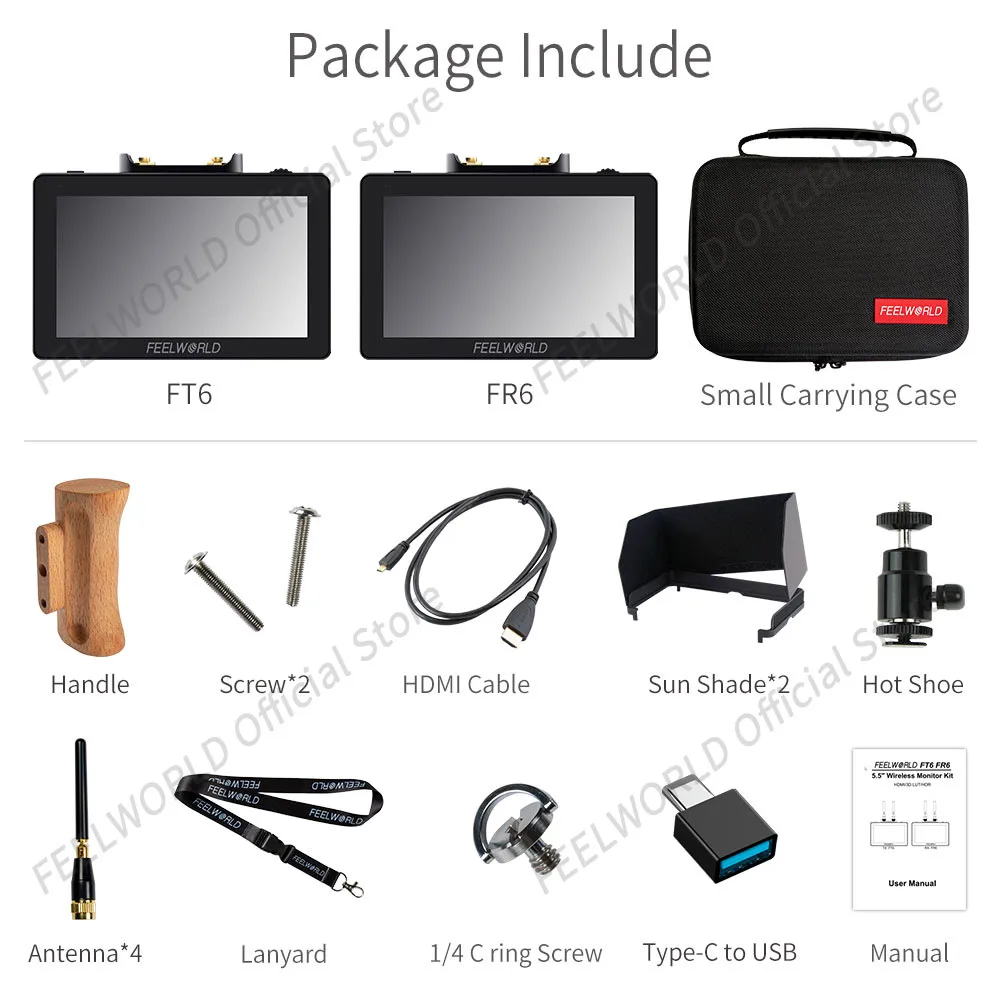
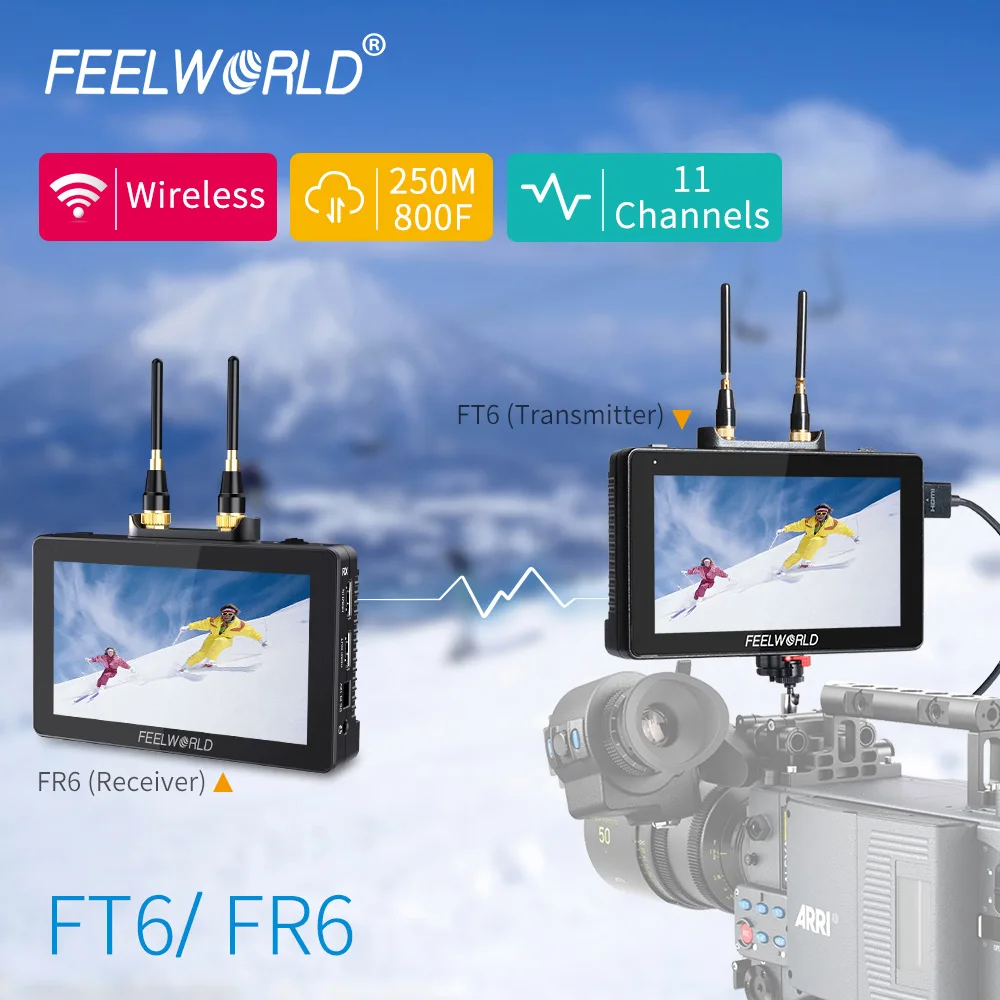
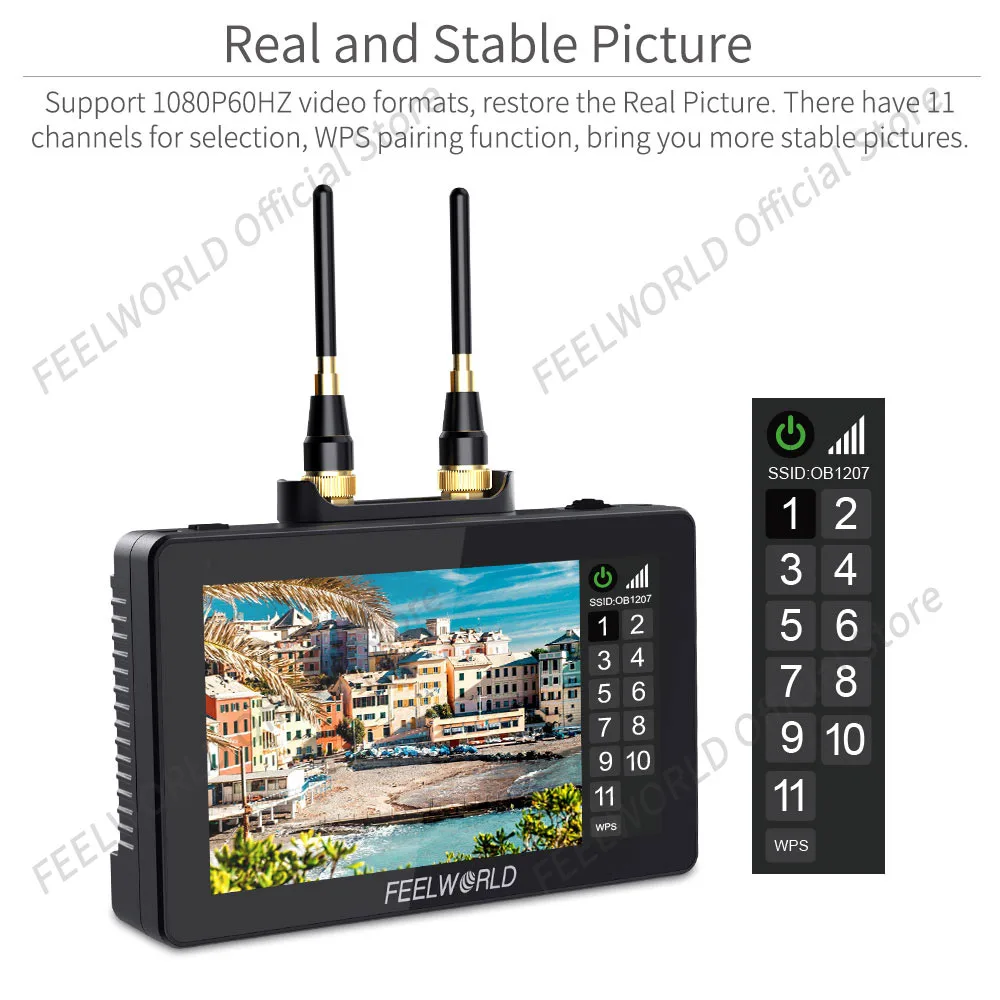
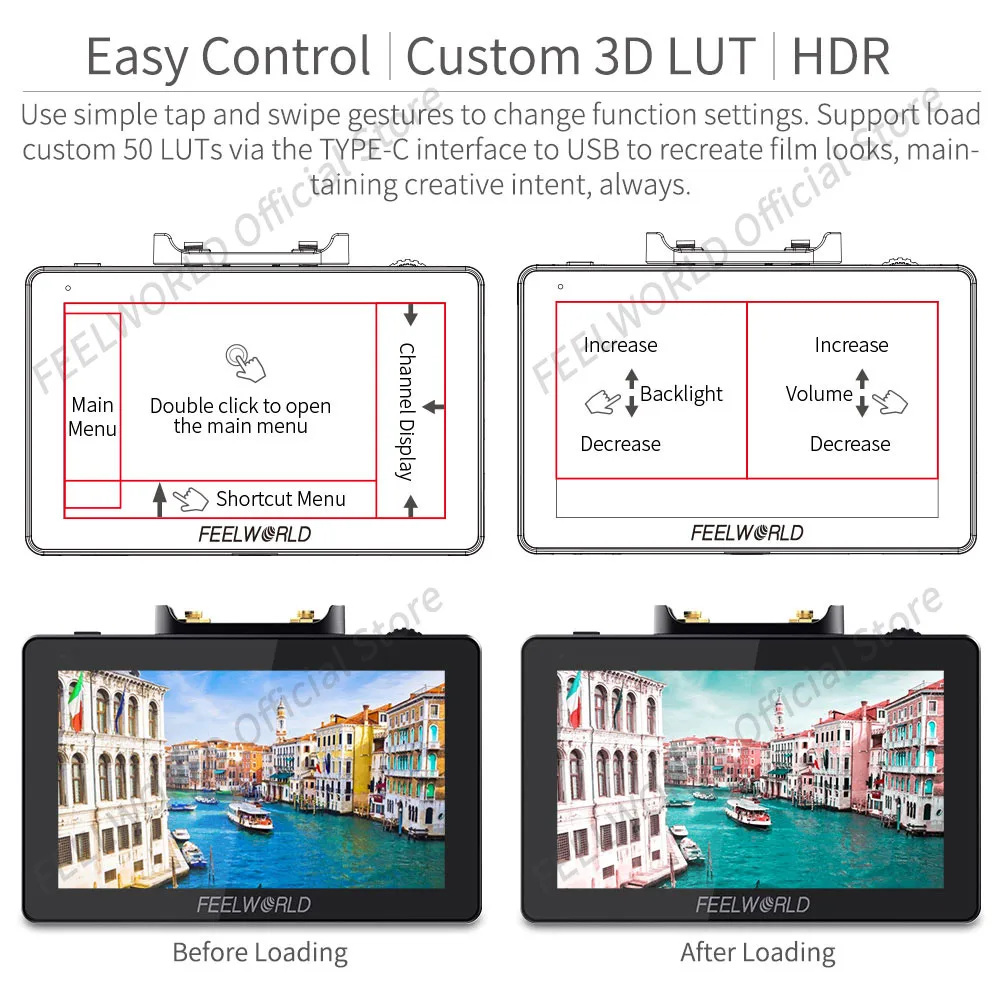
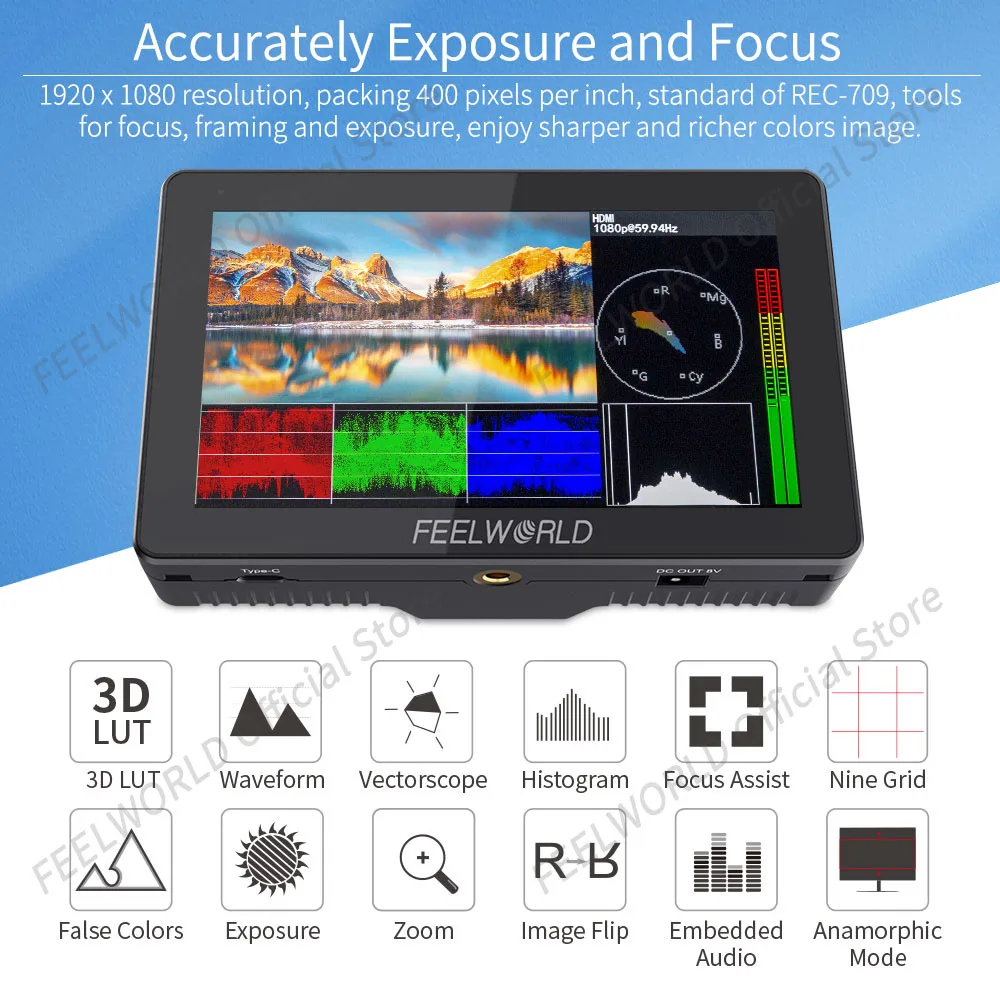
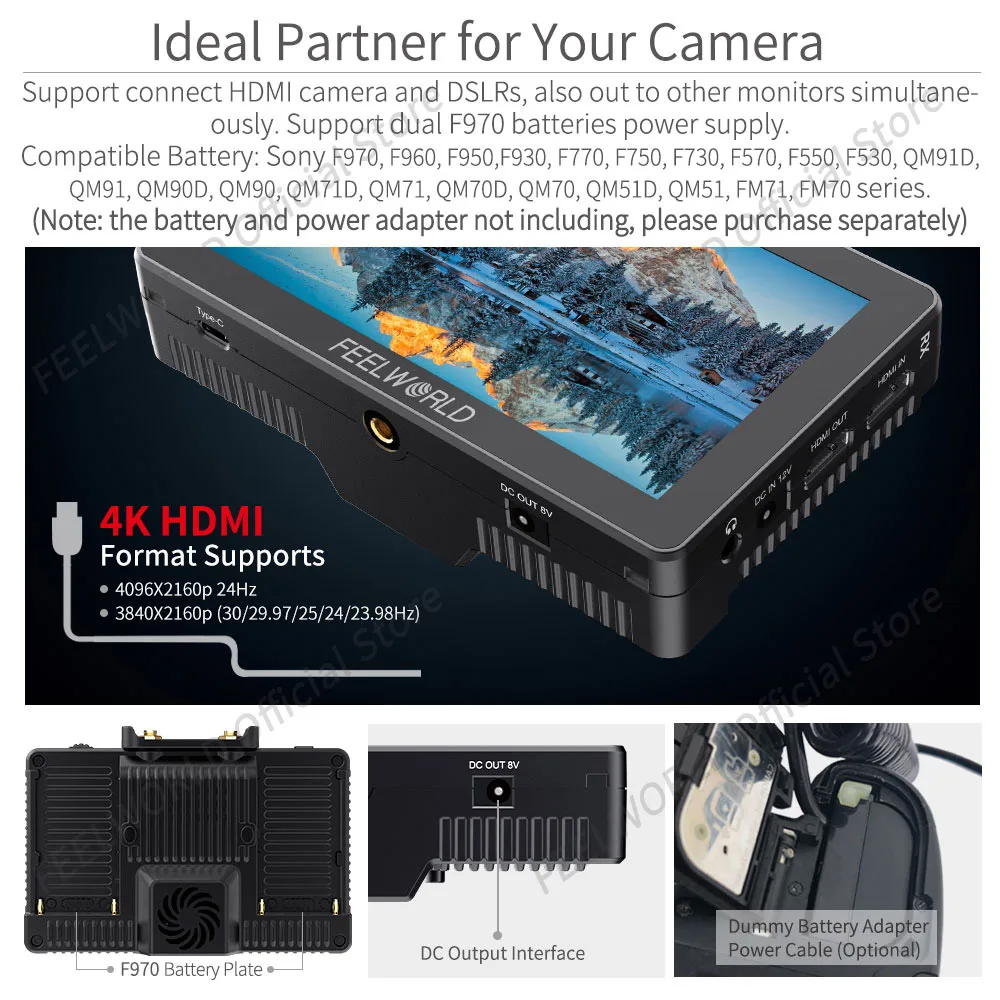
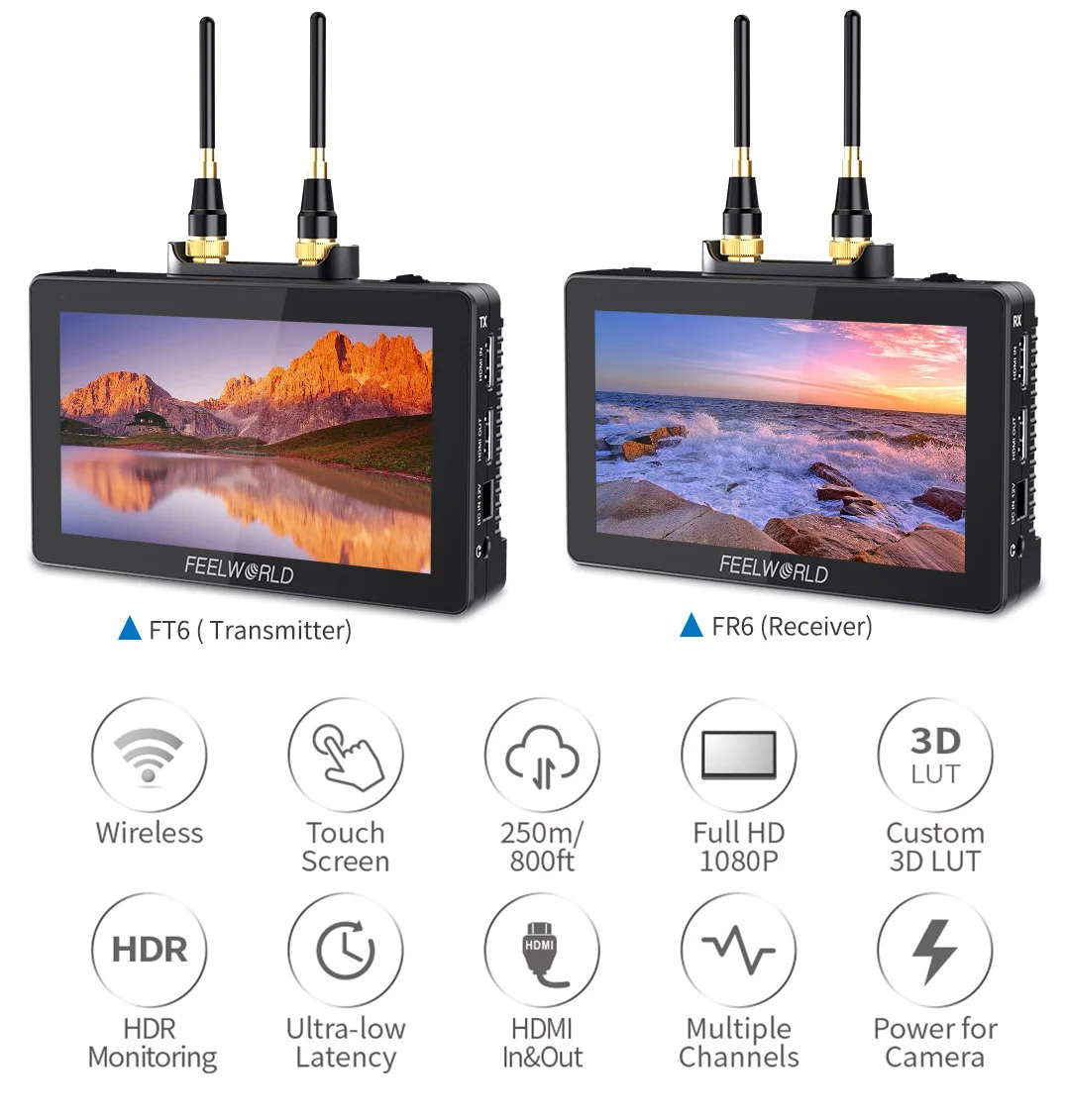
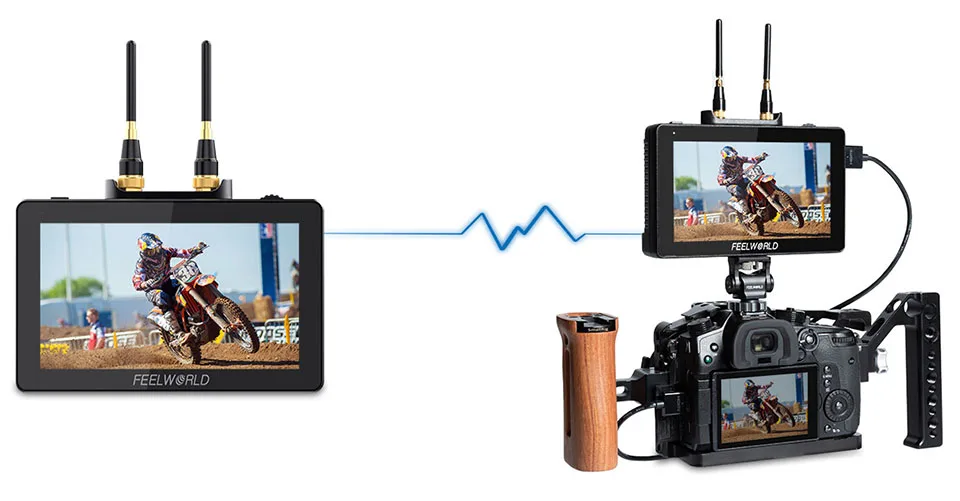
Designed for Simplicity All-in-one director’s visual display unit answer Combining a wi-fi video transmission and tremendous HD monitor, the FEELWORLD FT6, FR6 wi-fi display screen to create ultra light, cable-free monitoring package that provides you total mobility on set Using 2*2dBi antenna technology and H encoding and decoding expertise for pro image processing, clearer picture and decrease latency The FR6 can get hold of uncompressed HD wi-fi alerts from FT6 transmitter 800ft Transmission Range with Ultra-low Latency 800FT dependable wi-fi transmission with only 0 latency, can satisfy the requirements of more legitimate live streaming and tracking Up to 1080p60HZ, Restore the Real Picture Support 1080P60, 1080P50, 1080i60, 1080i50, and many others normal video formats, can easily manage whether it's for directors, photographers monitoring, or reside video transmission Channels for Selection Bring you more stable pictures There are 11 sign channels for choice for the wi-fi computer screen You can choose the best channel freely When you don’t want the transmission function, you possibly can long press the flexibility icon to show off Plus, there's WPS pairing operate When you need to update the transmitter or receiver, please lengthy press WPS of both the transmitter (TX) and receiver (RX) about 1 moment to go into the pairing mode, and await the pairing to achievement Portable Size and Lightweight Ideal for cellular shooting Although built-in wireless picture transmission, the FT6 and FR6 keep a narrow shape 5 inches small size and only 370g weight, which is the perfect for on-site cellular capturing Touch Screen for Easy Control at Your Fingertips Make your filming more performance The integrated computer screen also is an interactive touchscreen that makes developing the FT6, FR6 incredibly intuitive All of the purposes are at your fingertips, permitting you to use clear-cut tap and swipe gestures to alter operate settings You can use two-finger zoom gesture to simply and intuitively zoom in and out of the shooting display screen Plus, in addition they assist physical buttons management Tap/Rotate the wheel button for fast alternative and function settings Tap the flexibility change to show off the touch function, designed to prevent misuse Touch Screen Operating Instruction Long press to turn on and stale the power; quick press to turn on and rancid the screen touch operate When the computer screen and contact are either on, consistently click on the screen twice to enter the main menu Swipe up from the bottom of the screen to open the shortcut menu and click on the corresponding menu to open or set the corresponding operate Double-click the shortcut menu function and choose the function surroundings with the "<" or ">" key three On the left facet of the screen (1/2 cut up screen), you possibly can instantly regulate the brightness of the display screen backlight; on the appropriate aspect of the screen (1/2 break up screen), you could immediately regulate the amount four Swipe from the right facet of the sceen to left to open the channel exhibit There are eleven channels for selection 5 five Click any space beside menu to exit the menu Simply Operation, Professional Auxiliary Tools Accurately publicity and concentration each shot Our flexible OS is filled with an extensive suite of scopes, all 1-touch away and easy to use The Video OS involves instruments for focus, framing & publicity (waveform, RGB parade, vectorscope, RGB histogram, histogram, audio meter, focus peaking, zoom, zebra, false color, body guides, secure area, etc) together with a flexible three-D LUT implementation (use built-in LOG to Rec video or upload files), HDR tracking and options for anamorphic de-squeeze monitoring Up to 1080p60HZ, Restore the Real Picture Support 1080P60, 1080P50, 1080i60, 1080i50, and many others common video formats, can smoothly manage whether it's for directors, photographers monitoring, or reside video transmission User LUT Cube Import FT6 FR6 provide S-log2/3, V-log, Log-C etc, to transform log mode to REC709 for all essential cameras The LUT loading function makes the color calibration paintings of the former capturing easier and more intuitive, optimizes the workflow and improves work performance User creative 3-d LUT dice or calibration 3-D LUT dice would be uploaded to FT6 FR6 through TYPE-C to USB HDR Monitoring For unbelievable clarity and detail FT6, FR6 have built-in HLG 2020, HLG 709, HLG P3 HDR three-D LUT, and Rec709 De-slog3 LUTs, includes SLOG2, SLOG3, LOGC, VLOG The monitor can display an HDR (high dynamic range) sign for unimaginable readability and detail, simplify the complexities of shooting Log and HDR, aiding you to copy post-production workflows immediately when it topics most–while shooting 1920x1080 Display with Rec Color Calibration Better viewing and capture each Detail The 5" IPS display contains a 1920 x 1080 resolution, packing four hundred pixels per inch and give a wide viewing attitude of 160°and for less complicated off-axis role monitoring Built-in 3D LUT shade calibration, which complies with the standard of REC-709, can calibrate every single monitors so that it should eradicate the effort of coloration cast Video Analysis Assistant Pattern Waveform / Vector scope / Histogram Waveform This essential feature assists with the calibration of pro video cameras It displays the overall brightness of the picture helping the video professional in correcting publicity The waveform characteristic also tests the evenness of the lights when lighting a chromakey or background Anamorphic Mode Built-in choice of no squeeze, 1, 1, 1, 2 or 2 mag permits you to use anamorphic lenses or adapters and spot the picture unsqueezed, even if your camera does not de-squeeze in digital camera Auto Mirror After auto-mirror is became on, rotate the monitor vertically, and the image will be adjusted the other way up mechanically HDMI INPUT & OUTPUT Both FR6, FR6 with HDMI input and output signal interfaces, permitting it not to solely exhibit stay signals, but in addition ship them out to different monitors simultaneously It&;s the ability to demonstrate reside picture on multiple reveals at once while nonetheless protecting the unique video quality Plus, you would display screen audio utilizing the 3 stereo headphone jack Power Your DSLR or Mirrorless Camera The FT6, FR6 provide auxiliary energy out (DC OUT 8V), permitting shooters to power their cameras With a battery adapter cable (Optional), extend camera run-time, whereas providing a more usable display Barrel output for powering your digicam with a individually accessible DC coupler via adaptor (NP-FW50 Iconic Brand & LP-E6 Iconic Brand & DMW-BLF19 Panasonic) More adapters coming quickly Note: since diverse brands and models of cameras require diverse strength for regular operation, the digital camera will not be able to take pictures or video usually Therefore, when using batteries to energy the monitor, with a purpose to use the digital camera normally, it is recommended to use a large-capacity totally charged battery Synchronous Output for Easy Monitoring FR6 receives the video from FT6 would be output to different screens (same display display) via HDMI OUT, handy for the director and photographer to watch at the identical time Power Supply Design Support dual F970 batteries energy supply In addition to the 12V common power supply; FT6, FR6 even have dual battery slots within the back You get 2 rear battery slots for putting in Iconic Brand L Series batteries, so you have adequate power for the monitors Plus with 2 battery slots, you may replace batteries without interrupting monitoring, just should double-tap the battery icon at the higher correct nook of the monitor, after about three seconds switch to the other battery The visual display unit set up one F970 battery (6600mah) last for roughly 2 hours, and install two F970 batteries final for approximately 4-5 hours You can favor install 1 or 2 battery base in your desire Compatible Battery: Iconic Brand F970, F960, F950,F930, F770, F750, F730, F570, F550, F530, QM91D, QM91, QM90D, QM90, QM71D, QM71, QM70D, QM70, QM51D, QM51, FM71, FM70 sequence (Note: the battery no longer including, please buy separately) Battery Level Display When the battery/batteries is/are positioned in the battery slot(s), battery icon will seem at the higher right of the display White icon indicates the operating battery, grey icon signifies no longer working battery Double-tap the gray battery icon and it will be switched to a working state in about three seconds, then it will be grew to become white There might be a pink immediate when the battery is almost dead, please replace the battery in time Ideal for Director and Photographer 800FT transmission vary with 70ms ultra-low latency and different advance facets make FT6, FR6 compatible for movie workforce shooting Ideal for the director and the photographer Innovation Handle, Easier to Hold FT6, FR6 could be choice geared up with an revolutionary design handle, which makes the visual display unit easier to hold and the display more steady Portable Sunshade Easy Install Avoid the interference of outside solid mild The FT6, FR6 wireless computer screen is equipped with a sunshade, which allows the photographer to concentration more on the video and keep away from the interference of robust light, providing a closer visible ride The installation job is simple and fast, which is awfully suitable for outdoor shooting


Review
0 people rated this product

FEELWORLD 5.5 Inch FT6 FR6 Wireless Video Transmission System with Transmitter Receiver DSLR Camera Field Direct AC DP Monitor
Shipping & Returns
 QWQER Express,
 USPS,
USPS, DHL
DHL
Shopping security
- Safe payment options
- Secure privacy
- Secure logistics
- Purchase protection