
Description
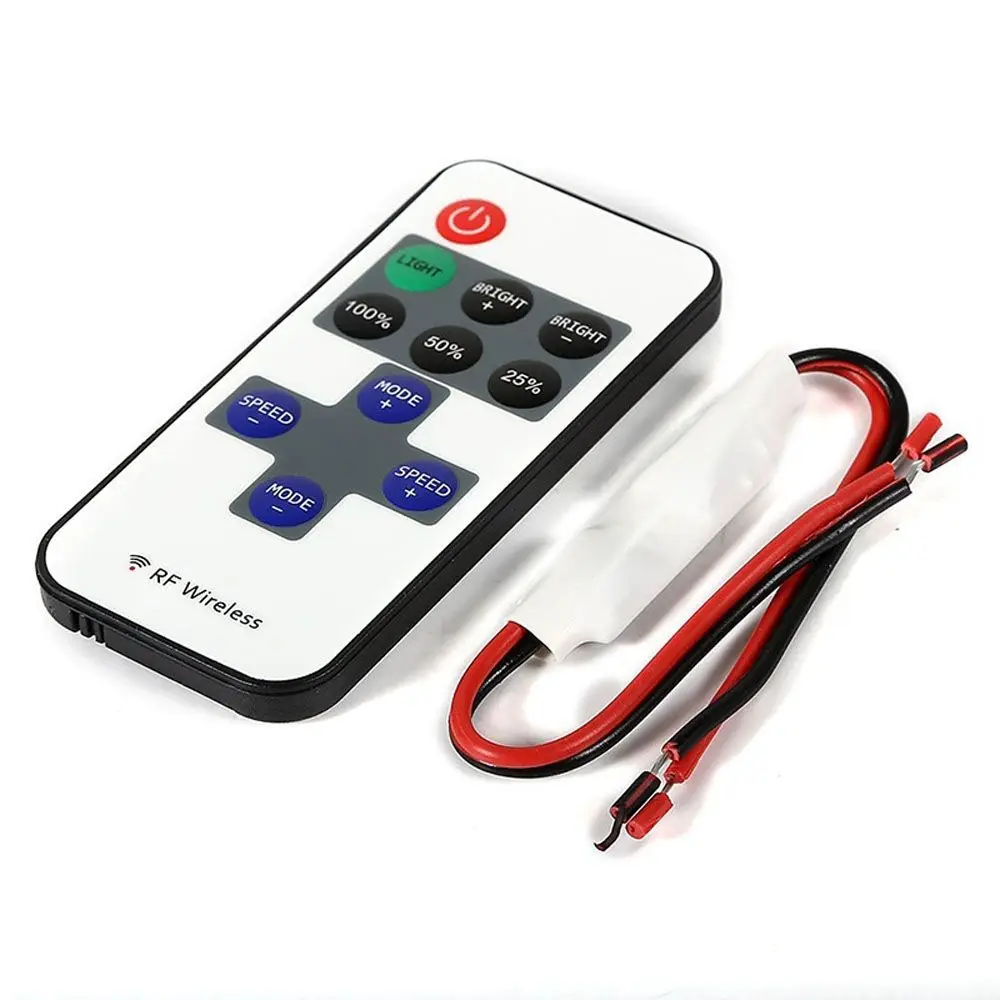
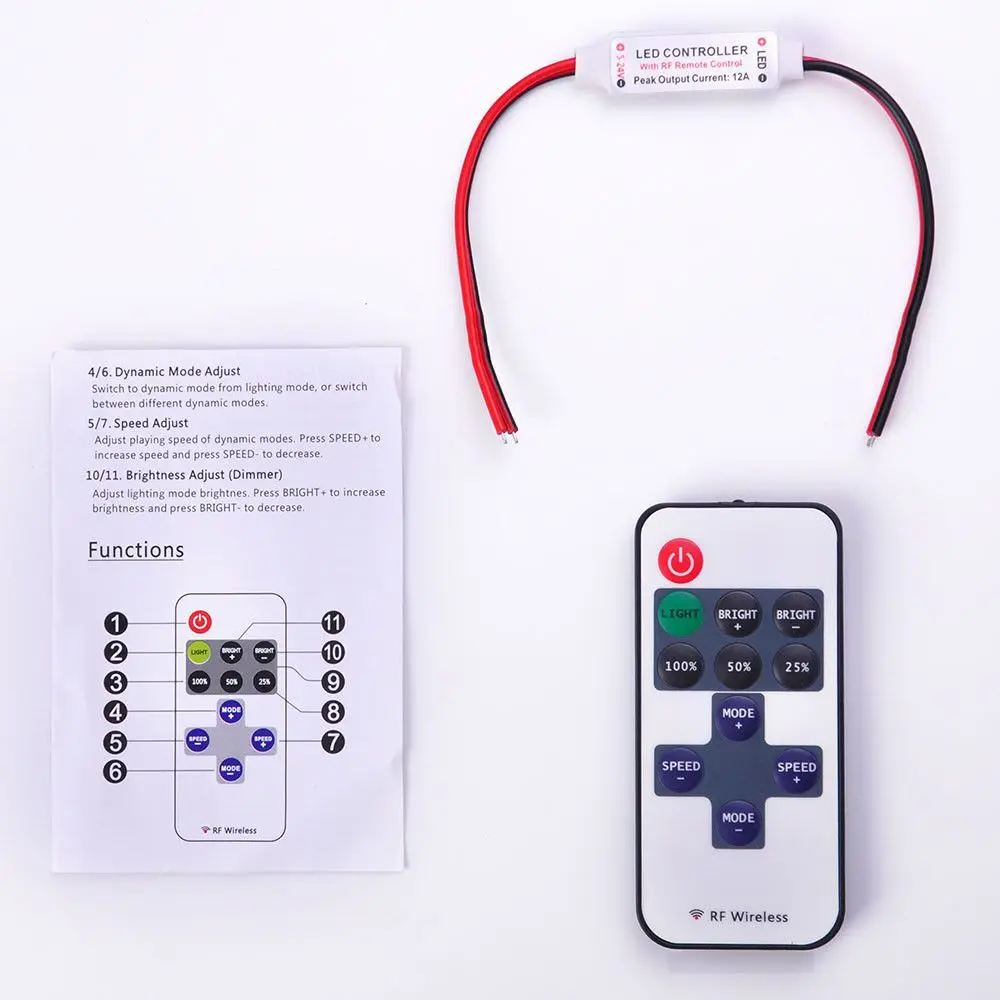
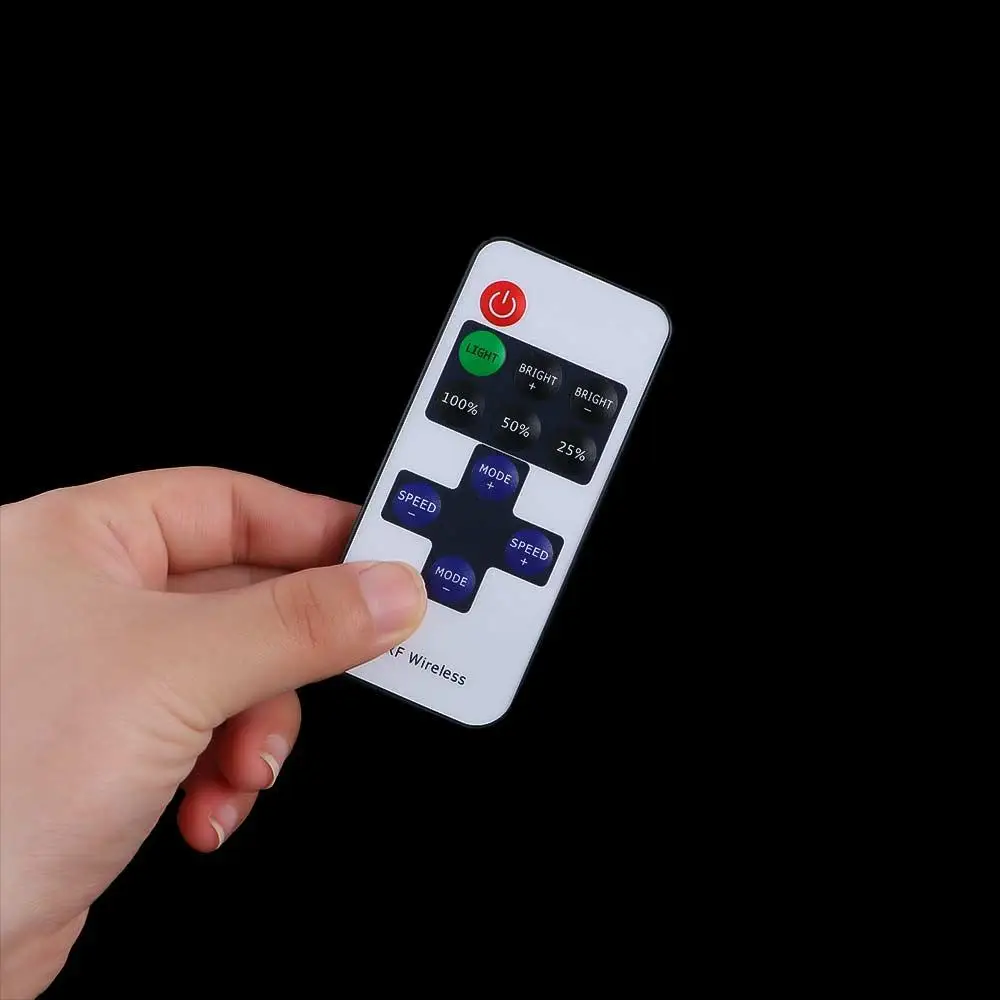
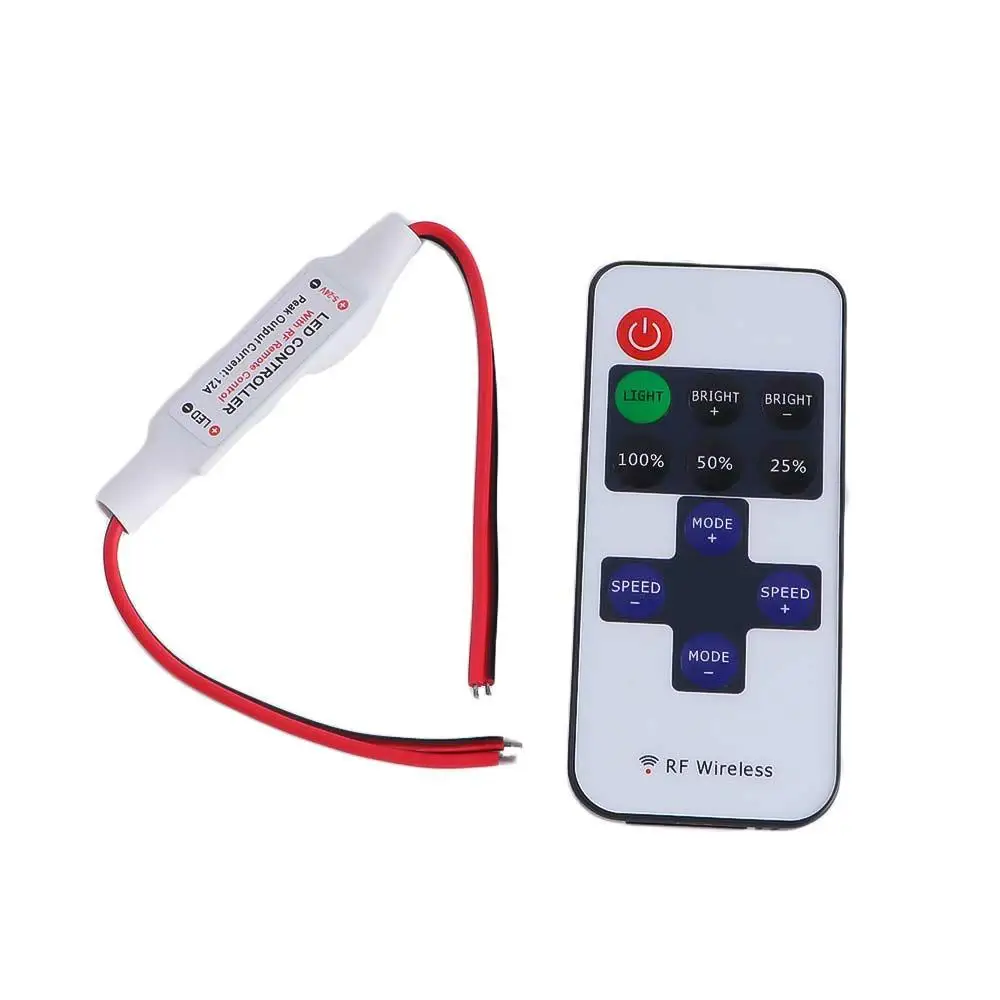
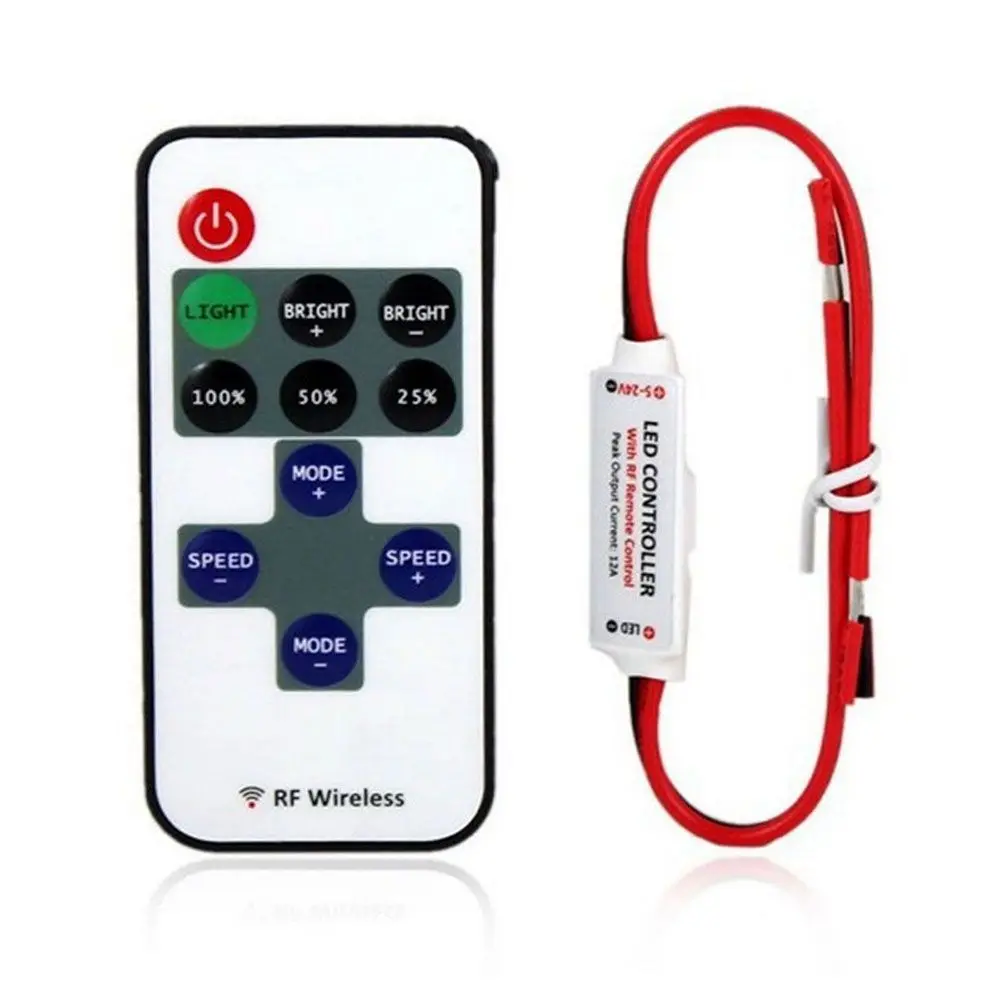
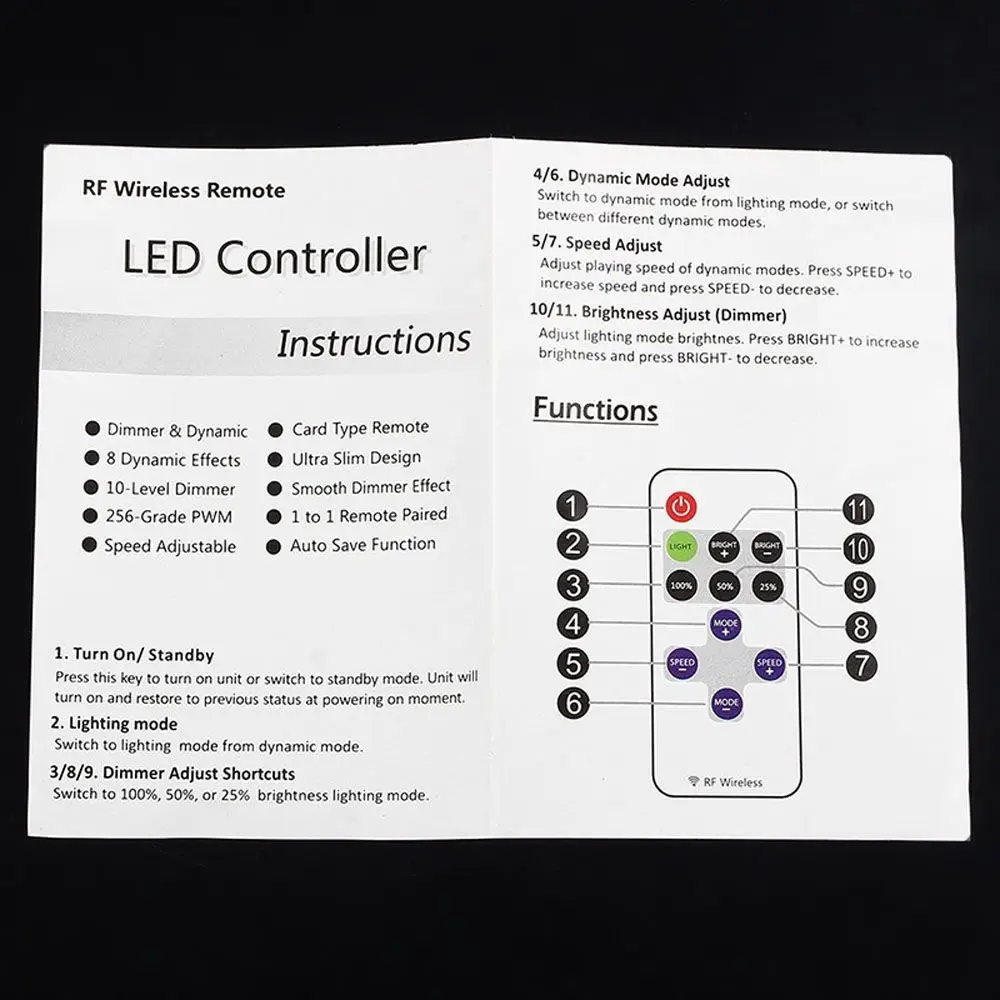
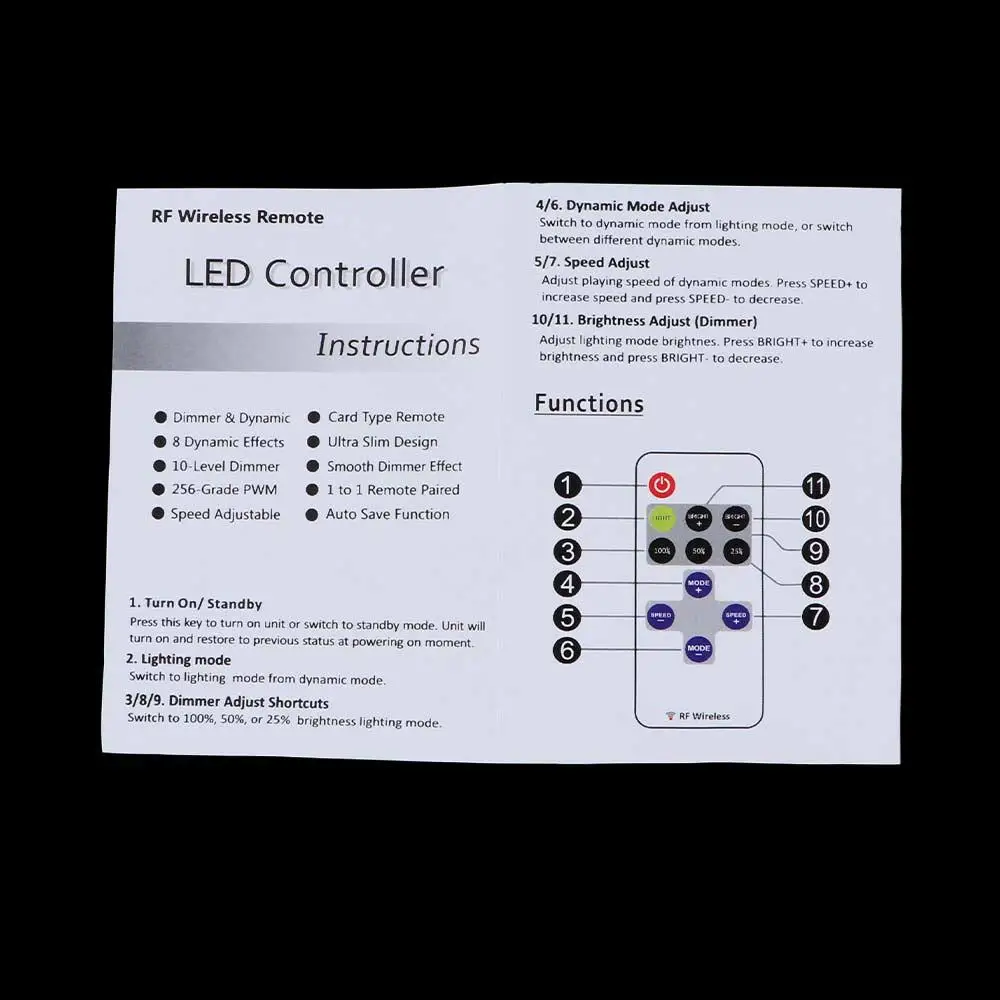
Instructions for RF Wireless Remote 1 On/ Standby Press this key to show on unit or change to standby mode. Unit will turn on and repair to previous reputation at powering on moment. 2. Lighting mode Switch to lighting fixtures mode from dynamic mode. 3/8/9. Dimmer Adjust Shortcuts Switch to 100%, 50%, or 25% brightness light fixtures mode. 4/6. Dynamic Mode Adjust Switch to dynamic mode from lighting fixtures mode, or replace between diverse dynamic modes. 5/7. Speed Adjust Adjust playing pace of dynamic modes. Press SPEED+ to increase seed and press SPEED- to decrease. 10/11. Brightness Adjust (Dimmer) Adjust lights mode brightness. Press BRIGHT+ to increase brightness and press BRIGHT- to diminish
Review
0 people rated this product
No reviews

Provided by:Raidlight
Hot Dimmer Wireless for LED Strip Light RF Wireless Remote Switch Controller Switch
11%$ 6.28$ 7.04
VAT included
Quantity
Only 245 left in stock
Shipping & Returns
Shipping: 5-9 business days
Courier company:
 QWQER Express,
 USPS,
USPS, DHL
DHL
Return information: 14-day returns available
Shopping security
- Safe payment options
- Secure privacy
- Secure logistics
- Purchase protection