


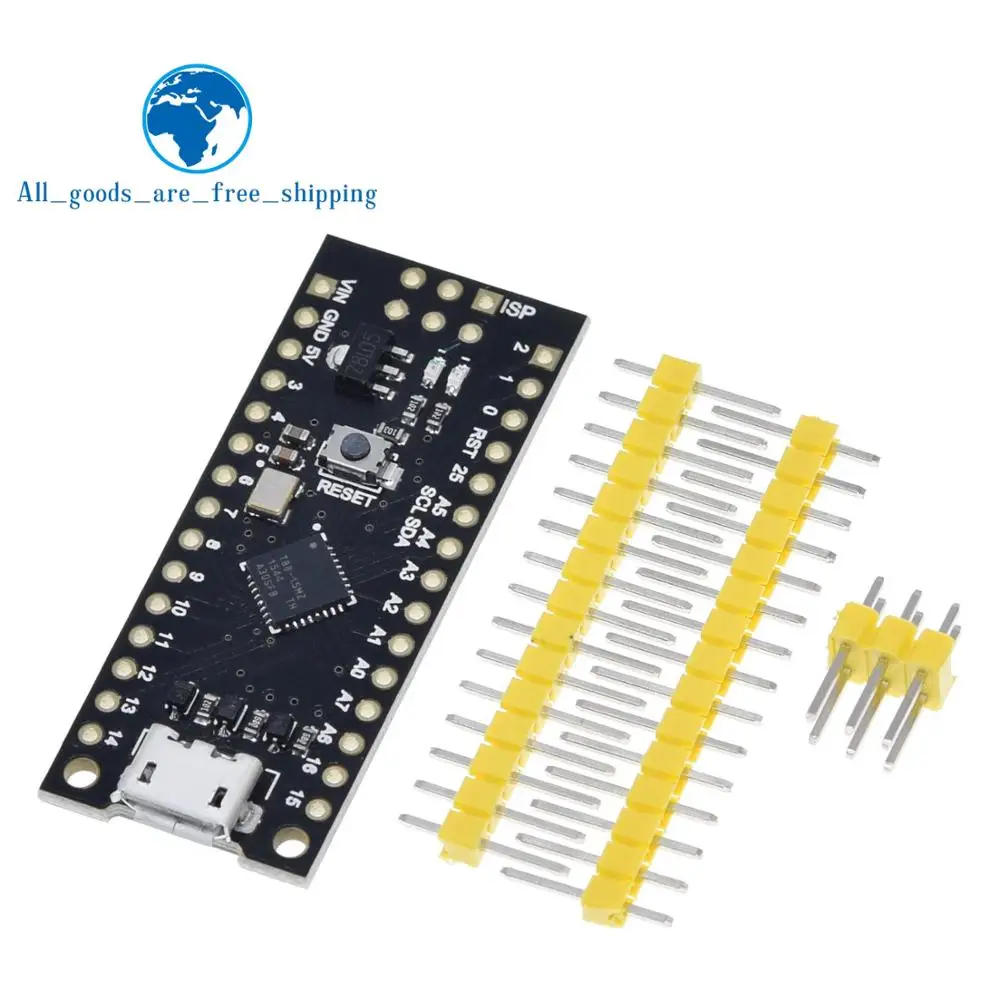


Description
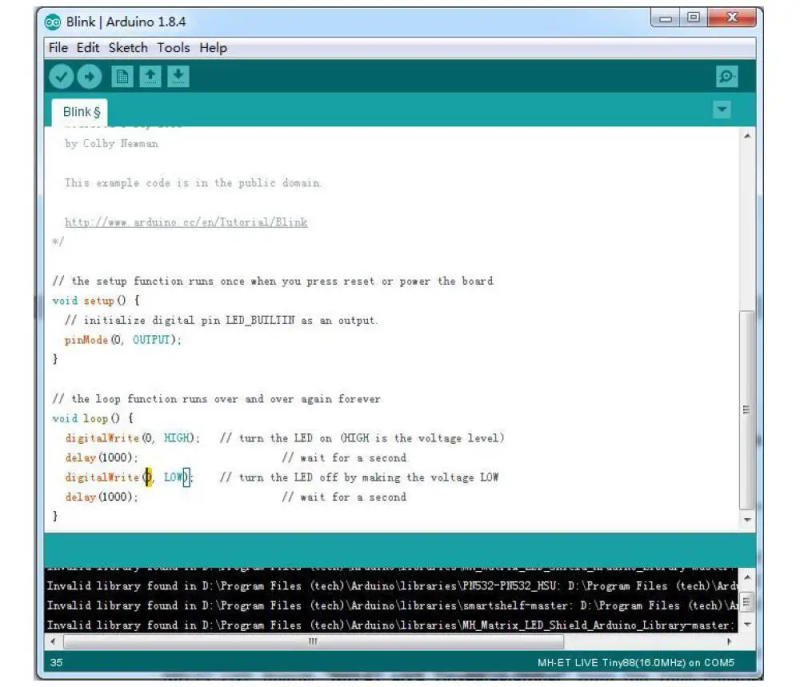
wy-plugin-end BBS: The MH-ET LIVE Tiny88(16) founded microcontroller development board equivalent to the Arduino line, only cheaper, smaller, and a chunk much less powerful With the ability to use the acquainted Arduino IDE the MH-ET LIVE Tiny88(16) is board to jump into electronics, or supreme for when an other board is too large or an excessive amount of MH-ET LIVE Tiny88(16) is sent fully assembled except for the headersincluded and simple to solder them on your own Specs: Support for the Arduino IDE 1+ (OSX/Win/Linux) 1 Power by way of USB or External Source - 5v or 7-35v (12v or much less recommended, computerized selection) 2 On-board 500ma 5V Regulator 3 Built-in USB 4 26 I/O Pins (2 are used for USB provided that your program actively communicates over USB, otherwise you can use all 6 although you are programming by way of USB) five 8k Flash Memory (about 6k after bootloader) 6 I2C and SPI 7 26-PWM (26 pins with Software PWM,only two(D9,D10) with hardware PWM ) eight ADC on 8 pins 9 Power LED and Test/Status LED 10 Size(mm):44 PinOut: Installation Instructions: First obtain the suitable Arduino kit on the Arduino website: If using Arduino 1 or larger and home windows - you will need to download and set up the drivers manually Download, unzip and run “Install Drivers” (on 32bit systems) or “DPInst64” (on 64bit systems) The driver files are located here: 2 Install or Unzip the Arduino software Run the Arduino software In the Arduino software visit the “File” menu and select “Preferences”,In the field labeled “Additional Boards Manager URLs” enter: ackage_mhetlive_index and click on OK; Go to the “ Tools ” menu after which the “ Board ” submenu - select “Boards Manager” after which from the type drop down select “ Contributed ”: Select the “ MH-ET LIVE Boards ” equipment and click the “ Install ” button You\'ll see the obtain progress on the backside bar of the “ Boards Manager ” window, when complete it's going to reveal “ Installed ” next to that merchandise on the record WINDOWS USERS: When whole the set up with pop up a Driver Install Wizard window, please click “ Next ” on this Window to install the drivers for MH-ET LIVE Boards (If you have already got them installed, this installer will replace them and set up any which are missing) With the set up complete, shut the “ Boards Manager ” window and select the MH-ET LIVE Boards “ MH-ET LIVE Tiny88(16) ” from the Tools→Boards menu Choose the instance that comes with the Arduino IDE: Select the construction board as MH-ET LIVE Tiny88 in the toolbar, open this system in File >>Example >> Basic>>Blink, exchange the port 13 within the program to zero Port, assemble and obtain into the MH-ET LIVE Tiny88(16) in keeping with the abovemethod, it can be considered that the onboard LED gentle flashes consistent with the frequency laid out in the program( note: When downloading the program, do no longer connect the module first, watch for the immediate to insert the module after compiling, then plug it in and watch for the automated download to finish ) '



Review
0 people rated this product

MH-Tiny ATTINY88 micro board 16Mhz /Digispark ATTINY85 Upgraded /NANO V3.0 ATmega328 Extended Compatible for Arduino

Free shipping & returns
 QWQER Express,
 USPS,
USPS, DHL
DHL
Shopping security
- Safe payment options
- Secure privacy
- Secure logistics
- Purchase protection