





Descriptions
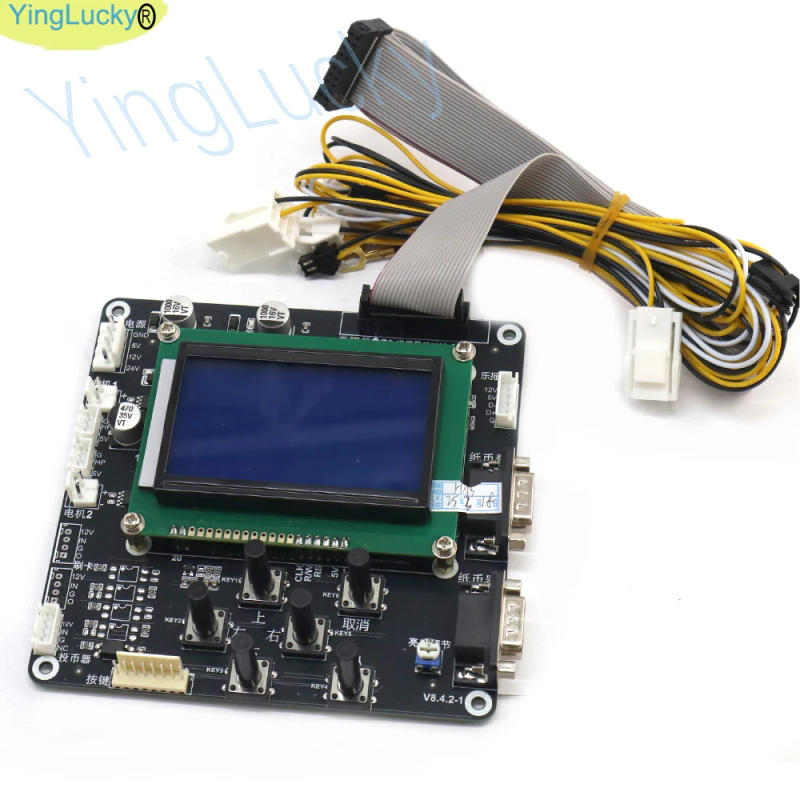
Coin Vending Machine Manual (LCD Version) The mechanical device parameters are displayed through the LCD, and there are 4 buttons for operation, namely "setting" and "switching" "plus" "minus" Long press the "Settings" button to enter the surroundings interface Press the "Switch" key to select the menu item, it's selected menu goods are highlighted "Plus" and "Minus" keys to adjust the parameter cost The settings menu is divided into 7 foremost items 1 Currency exchange settings, Each banknote denomination can be set to any number of cash Select varied denominations by way of the "Switch" button, The "plus" and "minus" keys alter the number of coins When the number of issued cash is determined to 0, it means that this banknote is rejected face value 2 The face value of banknotes The face cost of the banknote does not need to be set via the user, and the face price of the banknote comparable to every single channel of the banknote machine is displayed 3 Equipment parameters Equipment parameters are divided into five items, adding banknote machine type, price platform, forex button, language selection selection, foreign money choice The package parameters are set via the factory, and it isn't commended for users to set such parameters Inappropriate settings will impression the traditional use of the mechanical device four Account inquiry Account inquiry is split into 4 items, whole cash issued, whole amount, current coins issued, current amount, and variety of coins The complete withdrawal and complete quantity are everlasting data and can't be cleared to 0 The current amount and latest withdrawal could be cleared to zero 5 Clear the account Enter the clearing account menu, press the "Switch" button to select the article to be cleared, and press "Setting" key clean 0 6 Inventory leadership Care needs to be taken when constructing stock management goods The number of cash added should be the same as the set number if If you don&;t need inventory management, you may set the stock leadership merchandise to "0" Enter the environment inventory menu one Press the "Switch" key to select the variety of digits "Plus" and "Minus" keys to adjust the value The most can be set to "99999" The value set must be probably the most proven to take effect, and direct go back is invalid set After the coin is stocked, the machine&;s inventory isn't sufficient to pay the current amount to difficulty coin, it'll routinely quit the service and report an error 7 Restore factory settings When the mechanical device data settings are disordered, you could possibly directly restore the manufacturing unit settings, and the mechanical device will automatically restore the factory settings data eight Note: All environment information should exit the atmosphere menu normally to take effect immediately Power off and exit is invalid




Révision
0 people rated this product

Currency Machine Vending Automatic Banknote Bill Exchange Coin ATM Changer Motherboard for Arcade Vending Machines


Livraison et retours gratuits
 QWQER Express,
 USPS,
USPS, DHL
DHL
Shopping security
- Safe payment options
- Secure privacy
- Secure logistics
- Purchase protection